HavenCraft System Requirements
PC specs for the Steam Demo and upcoming Early Access.
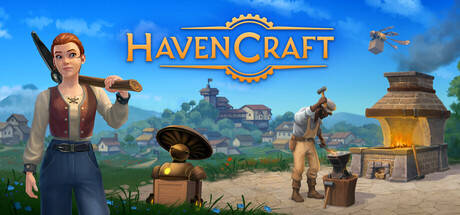
Before a four-hour roofing session, confirm your machine matches the official Steam sheet. HavenCraft is a simulation-heavy third-person builder: populated towns, pathfinding, and seasonal rendering cost more than a static diorama. This page mirrors the published minimum and recommended requirements, adds demo storage notes, and offers practical performance habits.
Minimum requirements (Steam)
- OS: Windows 10 (64-bit)
- CPU: AMD Ryzen 5 2600H / Intel i5-8300H
- RAM: 16 GB
- GPU: NVIDIA GeForce GTX 1050 Ti / AMD RX 560
- Storage: about 2–3 GB free (demo listings show ~2 GB; full client listing shows ~3 GB — leave headroom for saves and future updates)
Recommended requirements (Steam)
- OS: Windows 10 (64-bit)
- CPU: AMD Ryzen 7 3700X / Intel i7-9700K
- RAM: 16 GB
- GPU: NVIDIA GeForce RTX 2070 / AMD Radeon RX 5700 XT
- Storage: about 3 GB free with extra space for growing save folders
Always re-check the live Steam and GOG pages — store assets can update closer to Early Access.
Platform roadmap
Official FAQ: Windows during early heavy development; MacOS and Linux planned for 1.0; consoles not planned. Steam Deck compatibility is listed as unknown on some store views — expect community reports rather than a guaranteed Verified badge at demo time.
Demo vs full client
The free Steam Demo (Alpha 6) is lighter on content than the eventual Early Access tree but still runs the living-economy simulation. If the demo stutters on a packed plaza, the full game will not magically need less CPU for pathfinding. Fix performance during the demo window.
Performance tips that help settlement builders
- Cap background browsers when hosting co-op.
- Keep drive space free; fragmented tiny SSDs hate growing save + depot pairs.
- Lower shadow/view distance before deleting your temple in frustration.
- Prefer wired networking for Multiplayer sessions.
- After big Alpha patches, rebuild shader caches with a short clean boot.
Pathfinding and logistics queries were optimized in seasonal updates (async/time-sliced paths), but mega towns still scale with population. Happiness crashes are usually design issues — see Villagers & Happiness — yet hitching when everyone paths home can still be hardware.
RAM reality check
16 GB is both minimum and recommended on the sheet. That signals memory headroom matters more than raw GPU flex for many players. Close heavy Electron apps before festival streams.
How this ties to gameplay pages
Low FPS while dragging roofs feels like bad Controls. Confirm specs first. Slow packlings may be missing roads, not missing frames — verify Packlings & Skylings. New players on borderline laptops should keep the first town tiny using Getting Started advice.
Pre-purchase checklist
- Compare CPU generation, not only core count.
- Update GPU drivers.
- Wishlist HavenCraft and install the demo as a live benchmark.
- Read Early Access for launch timing before scheduling a friend weekend.
Meet the recommended tier if you love cinematic camera sweeps across winter rooftops. Meet at least the minimum tier before inviting three co-op architects into the same plaza.
Laptop and handheld notes
Laptop SKUs matching the minimum CPU names can still throttle under sustained pathfinding. Use a power plan that keeps fans aggressive, elevate the chassis, and avoid streaming plus hosting at once on borderline GPUs. Handheld Windows devices may boot the demo, yet dense winter towns with many packlings are safer on desktop recommended hardware.
Before you upgrade parts
Benchmark with your current save. If hitching vanishes after lowering crowd distance, spend time on layout guides before buying a new GPU. If RAM usage pegs near 16 GB with browsers open, close Chromium profiles first. Hardware upgrades help, but HavenCraft rewards tidy logistics as much as raw frames — pair this page with Packlings & Skylings and Getting Started.
Frequently Asked Questions
Quick answers to the most common questions.
How much RAM does HavenCraft need?
Steam lists 16 GB RAM for both minimum and recommended configurations.
Does the demo use the same specs?
Yes in practice — the simulation still runs. Storage may show ~2 GB for the demo versus ~3 GB on the full listing.
Is Linux supported now?
Development builds focus on Windows. Mac/Linux are planned for the 1.0 release per official FAQ.